Store date attributes as primitive longs?

I was reading the item 24 of this book and, in one of the last paragraphs, the author comments about storing date objects as a primitive long. The text is about making defensive copies of objects in your constructors and accessor methods.

So instead of


public void setDate(Date date) {

    this.date = date;

}

you should use


public void setDate(Date date) {

    this.date = new Date(date.getTime());

}

This is pretty obvious after years developing O.O. software, and explaining it is out of the scope of this post. Now, about using primitive longs. It actually seems to be a very interesting idea. Since you would have to use the long value of the local (private) date all the time to create the defensive copies, storing it as a primitive long right away would get us more clean and readable code.

The constructor would simply store the long date, and the acessor would be as simple as


public Date getDate() {

    return new Date(myDateAsLong);

}

Also, it would be easier to store the date in the database, since we wouldn’t need to convert a Date object to a format the database understand.

Now, the bigger question: why didn’t I think about this before??

Posted in java | Tagged , , , | 4 Comments

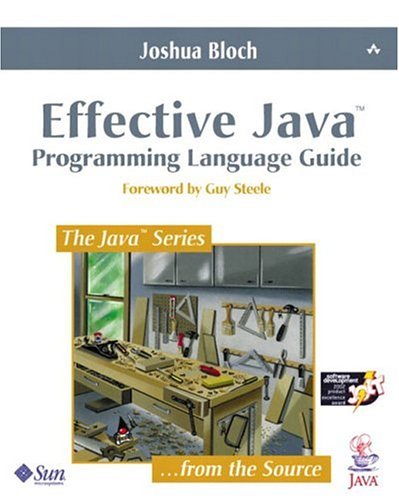
Effective Java

Ok, I know. Shame on me. I should have read this book a loooooong time ago. This book is a little bit dated now; it’s from 2002, and the 2nd edition is already out.

Anyway, I finally came to it and it is worth every word. To be honest, I haven’t finished reading it yet, but it is nonetheless the best Java book I’ve ever read.

Effective Java

Effective Java

One of the things I loved the most in this book is that the author discusses everything in detail, explaining the “whys”. This is amazing, because you can merge this information with your own opinion and experience and end up having a new, better understanding of Java.

For example you, as the good programmer you are, certainly know that you should REALLY prefer composition over inheritance. But do you know why? Better yet, do you now how much inheritance can be GREATLY insecure? Well, this book explain this and shows very good examples.

I’m really looking forward to reading the 2nd edition now!

Posted in java | Tagged , , | 1 Comment

Compressing JavaScript and CSS files with YUI Compressor

Performance is always something to be looking for when developing web applications. One possible approach to improve performance of such applications is to compress our JavaScript and CSS files. This will make them smaller and thus faster to download.

A JavaScript compressor could for example turn this:


function helloWorld() {

    alert("Hello World");

}

into something like this:


function helloWorld() {alert("Hello World");}

It gets unreadable, but smaller. When applied to several, potentially large files, this type of compression can help us save a lot of kbytes of download from the server to a client, thus making the page load faster.

Since this is a simple strategy, it’s tempting to write our small routine to apply this compression to our files; but such a trouble is not necessary. There are libraries out there do this for us. We will use the YUI Compressor, from Yahoo, here.

The usage pattern I like is to compress all JavaScript and CSS files right before packaging the application. You can do this manually, and the official YUI Compressor site has instructions on how to do it. But this way you will probably end up forgetting to do so. Since we already use Ant in our projects at IPTI, we also use Ant to automate this compression step.

The first step to use YUI inside Ant is to get the ant task jar file here. Put the jar file in Ant’s classpath and you are ready to continue. PS.: The last time I tried, the YUIAnt site was unreachable. If that is still case for you when you read this, please let me know and I can make the version I have available.

Now, inside your Ant file, declare the yuicompressor task. Something like this:

<taskdef name="yuicompress"
classname="com.yahoo.platform.yui.compressor.YUICompressTask"
classpathref="lib.path"/>

and then use it like this:

<target name="minify-js" description="minify the project's JS files">
<echo message="minifying JS files" level="info"/>
<yuicompress charset="UTF-8" outputfolder="distdir">
<fileset dir="srcdir" includes="**/*.js"/>
</yuicompress>
</target>

Replace all the js by css‘s and you are set for CSS files as well.

Now, you probably have an Ant target to build your application war file – let’s call it dist. Just put minify-js and minify-css (supposing you created this second one) in dist‘s depends attribute. Now, each time you build your application, its JavaScript and CSS files will get compressed!

The last problem is that it doesn’t make sense to do this compression during normal development. The files would be impossible to read and debug properly. The solution again is very simple: add a property to the ant file, that says whether the compression should be executed or not.

This should suffice:

<property name="minify.js" value="true"/>

and add this to the minify-js (and css) targets:

<target name="minify-js" if="minify.js"
description="minify the project's JS files">

An important detail to notice is that, to disable the compression you must comment the property altogether. Changing its value from “true” to “false” will do no good – actually, the value can be anything, it just need to be there.

Posted in web development | Tagged , , , , , | 1 Comment

Software Quality and Agile

Often when we talk about agile software development, we mention how important quality is. In this post, I’ll run quickly through some thoughts and practices on how agile tries to guarantee this so-called higher quality.

When I first started using agile (eXtreme Programming in my case), one of the things that called for my attention the most was its focus on Accuracy and in avoiding Waste. This means that when developing software using an agile methodology, we always try to build exactly what the client/user want. Nothing less, nothing more. Having developed some things before using methodologies closer to traditional ones, I was urging for someway to stop doing useless work and wasting time (diagrams that would never be touched again anyone?). Agile seemed to be a good bet.

But this all is a little bit abstract. Like I said here, this is just saying that we will try to bring the most value to the client. Now looking into something more practical, there are some interesting things that we can use in a daily basis that also help us improve software quality, among them:

  • Pair Programming: two developers, instead of one, work together to solve problems. I talked previously about this here.
  • Pair Rotation: to avoid that the pairs get “accustomed” to its pair, we can constantly change the pairs that works together. This also helps leveling up the team knowledge and experience.
  • Tests: this is another invaluable practice that should be done in a daily basis. There is too much to sum up in a few lines. I’ll just mention two types of tests: unit and acceptance. We use unit tests to make sure the each individual feature of a system is working, and acceptance tests to guarantee that the whole system is ok, from a perspective similar to what the actual users have.

That’s it for now. I have a few other topics to write about in the pipeline, but if you have any ideas / suggestions for things you would like to see here, please don’t exitate to post a comment!

Bye!

Posted in agile | Tagged , , , , | Leave a comment

The Onslaught of the Tools

Before starting, please be warned: this is more like a philosophical post than anything else. I might say something in a sentence and then negate it in the next one. If you are ok with that, have fun reading on!

Nowadays, there are tons of tools out there to help us in our job developing software. This is amazing. And yet it is terrible. It is amazing because it gives you choice. You can find something that really matches your requirements. Also, you are likely to find tools to solve almost any problem you find; sometimes several tools solving the very same problem – most of the time probably. Great!

Or not. Now you have to study and compare them all. And of course you have a LOT of free time to do this. Unless you work. And have schedules. And need to deliver results. And if you are like me, you will WANT to know every option you have prior to choosing one.

Tools!?!?

Tools!?!?

I constantly find myself frustrated, knowing that there is a better way to solve problems we are facing right now. Yet, we can’t afford the time to reach those ways. But there is the other side of this coin. Maybe you don’t NEED that better way, that better tool. You are in heaven now.

This is a discussion that came about a few times not too long ago in the Java Posse podcast. And I basically agree with their conclusions. Is it good or bad to have so many options, like we do in Java? It’s good, because you have choice, which is probably one of the most important thing you can have. And if you don’t want to afford the time to choose, you can hire a company like Sun to help you, or do this for you.

Maybe the only time where the great amount of options are bad is when your are starting the learning process. There are so many places to go that you might get a little bit lost. At first at least.

So, concluding. I do like to have options. I don’t mind spending hours studying different choices for solving a problem. Actually, I think this makes me better, it makes me stronger and wiser. Let’s hope I’m not wrong and that I don’t die with an overdosis of information!

Posted in misc | Tagged , , , | Leave a comment

Maratona JBoss

Hi!

Just a quick update, to bring some life to this blog, before it gets covered in dust!

This last Saturday hold the “Maratona JBoss”. It was an event organized by Tempo Real Eventos here in Brazil. It was very nice, covering performance, JBoss Seam and a success case. Nice!

Maratona JBoss Lunch

Lunch Time - Claudinho, Alberto and Fábio

.. and maybe next time I should be in the picture as well… 😛

Maratona JBoss

Paggo is doing great things with JBoss!

Posted in java, misc | Tagged , | 2 Comments

Mercurial workflow

A few days ago, I posted here about the basics of working with mercurial. A little after that, Tor Norbye, from Sun Microsystems and The Java Posse, posted about his workflow with mercurial, a few problems he had with it, and how he solved these issues. I really like what he said, and I’m considering using the suggested workflow. If you are interested, take a look at his post.

The main issue is related to the fact that, more often than not, we need to commit part of the files we have changed in our projects, because we might be working on several things at the same time, and only one of them of ready to be committed.

But mercurial doesn’t seem to like this. So, to sum up the approach Tor now uses, you can work with two local repositories: one with the actual changes, and one exclusively to do the commits. When it is “commit time”, you “send” the files to be committed from the working repository to the commit one. See his post for the details.

I’ll try that out, let’s see how it feels 🙂

Posted in misc | Tagged | Leave a comment

Mercurial basics for CVS users

We just made available here the initial code (only a draft right now) for the peer-to-peer project mentioned in this previous post. One of the things we decided to do differently from previous projects is to use an alternative approach for version control. So, we are switching from CVS to Mercurial. My goal in this post is to show what changes in the daily work using it.

The first thing to understand is that Mercurial is a decentralized version control system. So, each developer will have its own local repository. When you commit, you’re not committing to the server, but instead to your local repository. This is cool because this way you can commit very often, and without breaking anyone else’s code. Also, you can easily work offline (airplane, anyone?), and synchronize when you get internet access.

So, when you want to get the most recent version of the project, you pull it from the main repository. And then of course solve eventual conflicts. This allows you to be sure that your code is fine with the server’s, i.e. all the tests passes and so on. After that, you are ready to push your code to the main repository.

So, don’t forget that now, after commiting you code, it is NOT sent to the main repository just yet. It will only get there after you issue a Push from your local repository to the main one.

The exact way to do this will be different depending on the IDE you are using, but the concept is the same. Please consult the official site mentioned earlier and the documentation of your IDE for more detailed information. For NetBeans 6.1, for example, you can find something here.

Posted in misc, peer-to-peer | Tagged , , , , | Leave a comment

Java Café

A few weeks ago I went to Belgium, for an European Union project revision. While I was there, I saw this:

Java Café

Java Café

This may not be new to European people, but certainly is to me! Nice, Java Café!

And at lunch, when adding sugar to my coffee:

Java Sugar

Java Sugar

So, it IS true! Java IS everywhere!

Posted in misc | Tagged , , , , | 3 Comments

Getting the data out of the tests

Hello everybody!

A few days ago, while I was searching for ways to improve the tests in our projects, I found an interesting article with some ideas. The main concept was to make the tests behavior, data and actual implementation separated. The original article can be found here. In this post, I’ll talk about the first of those things we decided to implement here: getting the data separated from the tests implementations.

First, if the data is not to be inside the test implementation, it ought to be somewhere. Where should it be? The answer is anywhere you decide it is easy to change. Better yet if it can be changed by non-programmers as well. In our case (and in the mentioned article’s example) we are using Excel spreadsheets.

Here is an example of how this looks like:

Data in an excel spreadsheet

Data in an excel spreadsheet

It is most likely that almost anyone can edit this file. So if you have someone that is not involved in programming (like a client), this person should be able to edit this spreadsheet pretty easily.

After having the data ready, you need to access it somehow. To do this, we are using the Apache POI project, which makes accessing and reading this file (and any other MS Office files) pretty easy. The code bellow would read all cells in the spreadsheet and print them out.

HSSFWorkbook wb = new HSSFWorkbook(new FileInputStream(fileName));
HSSFSheet sheet = wb.getSheet(sheetName);

for (Iterator rit = sheet.rowIterator(); rit.hasNext(); ) {
  HSSFRow row = rit.next();
  for (Iterator cit = row.cellIterator(); cit.hasNext(); ) {
    HSSFCell cell = cit.next();
    System.out.println(cell.toString() + " ");
  }
  System.out.println();
}

Now, if you want to know if the correct user listing is being returned from some business logic implementation, you would only need to change that code to compare the results read from the files with the ones returned from your business class. The business rules changed? Change the file and the new expectation will be in place, without even having to touch the test code, unless of course it is a change in the structure of the information.

The next problem that my arise is that you probably have a LOT of tests. Or at least you should have… Anyway, having a spreadsheet for each one would be suicide. Tons of files to handle! So what we can do is to create one spreadsheet per test class. Inside the file, we create one sheet per test. The footer of the spreadsheet then looks like this:

Multiple sheets in a spreadsheet

Multiple sheets in a spreadsheet

And that’s it! What do you think? Any ideas on how to improve this even more? Don’t be shy and post a comment!

Posted in agile | Tagged , , , | 2 Comments